Locks per set.
Not per workout.
Most blockers take your phone for the whole session. LiftLock ties the lock to the set — the phone goes away when a set starts and comes back the moment it ends, then locks again on its own at 0:00, even if you're mid-scroll.
Free · iOS 17 or later
Apps come back when your set ends.
OKOne exercise,
start to finish.
You plan a workout once — exercises, sets, rest time. From START, the lock follows the plan. This is bench press, four sets, 90 seconds of rest:
The bottom row happens on its own. Scroll through the whole rest if you want — at 0:00 every app locks again, and LiftLock doesn't need to be open for that to happen.
What it looks like
on the phone.
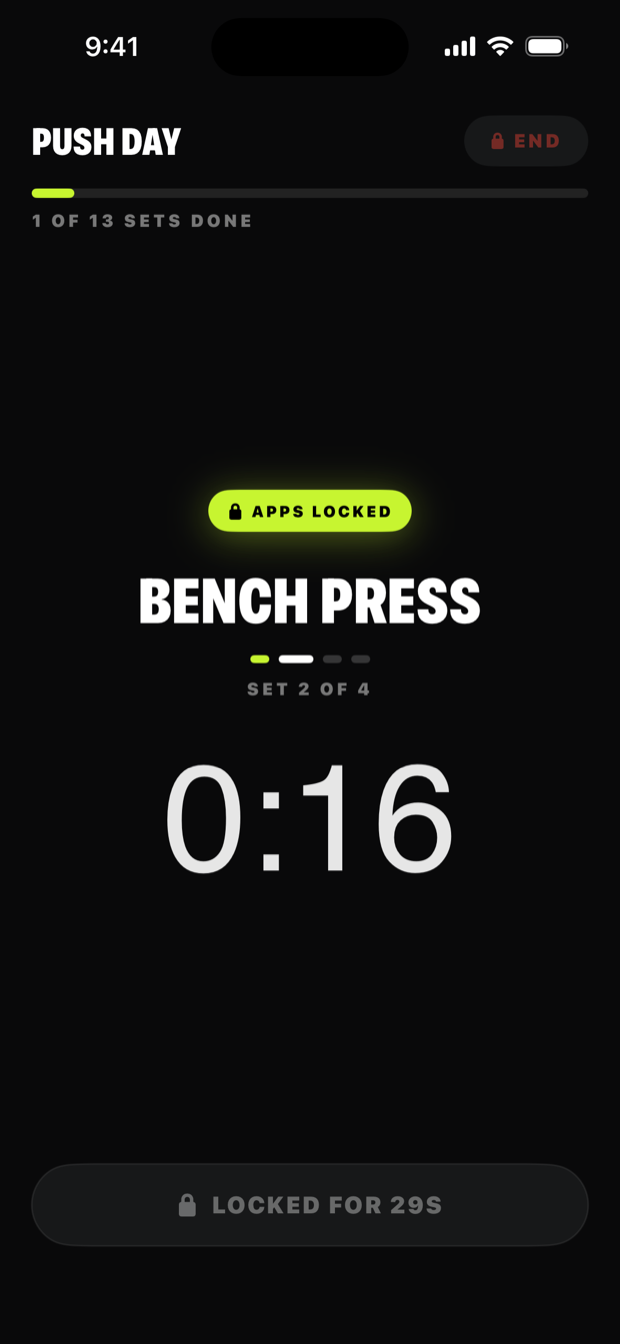
Set starts. Phone locks.
Start the workout and every app locks. Tap DONE when the set's finished.
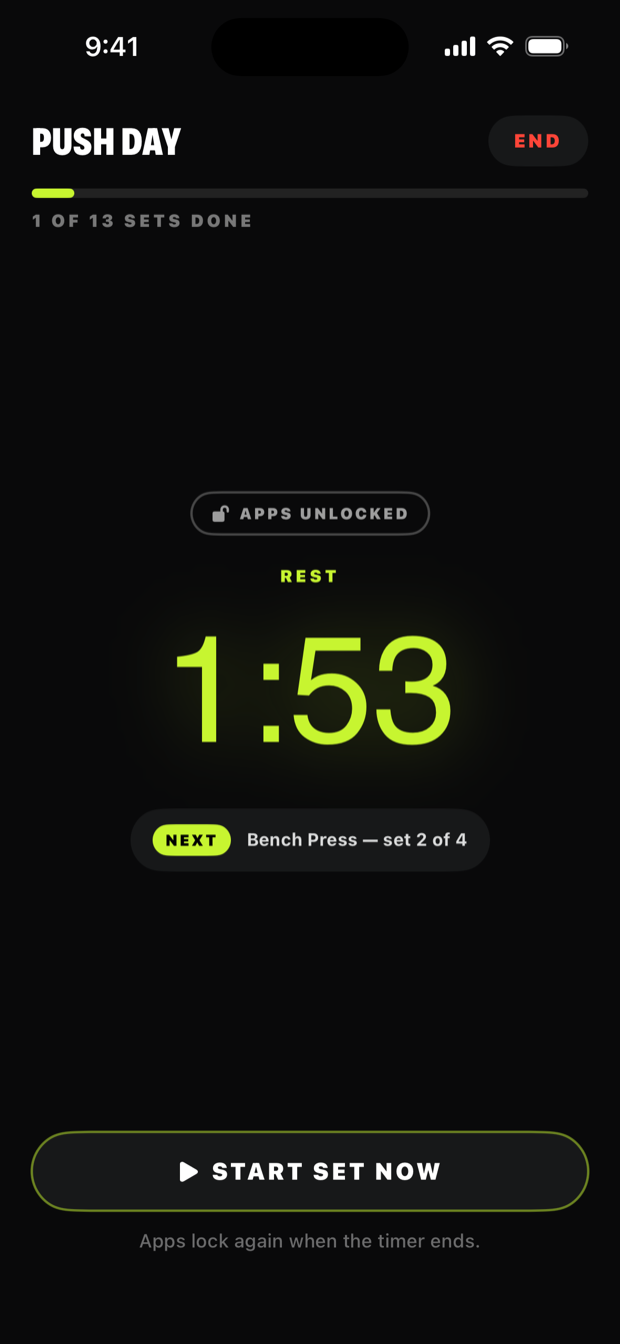
Rest. Phone's back.
A countdown returns your apps between sets, then locks them again on its own. It runs in the Dynamic Island, so LiftLock doesn't have to be open.
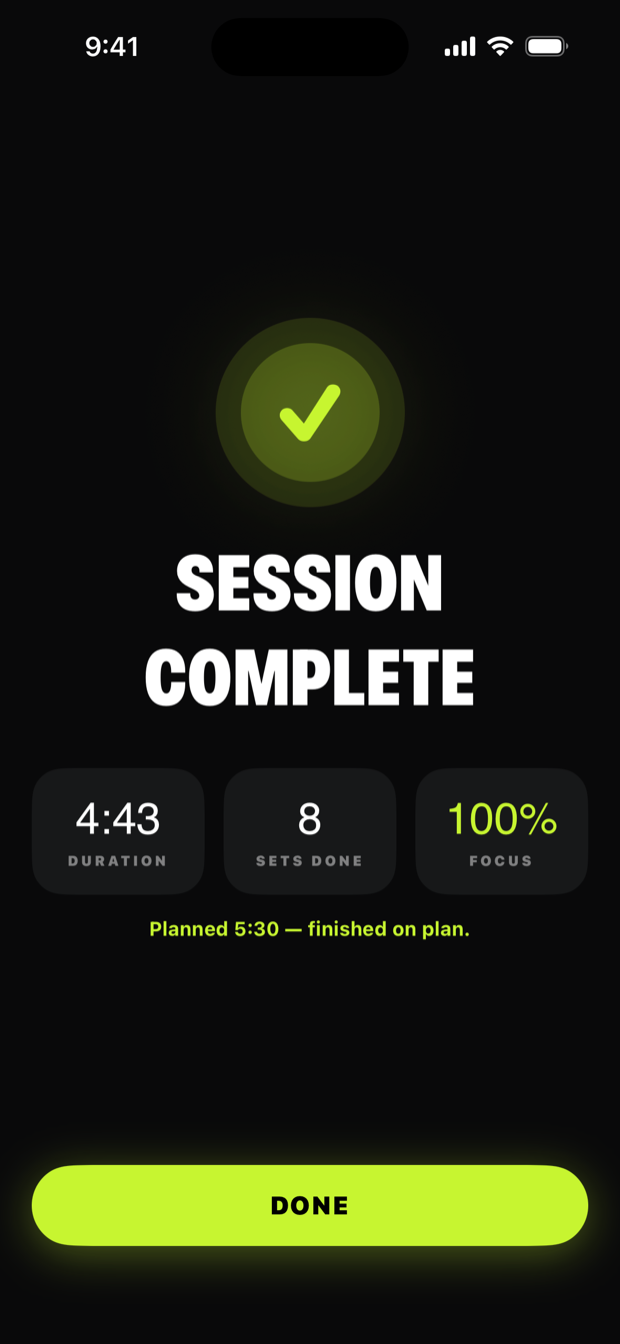
Every session counted.
Duration, sets done, and how long your phone stayed locked — it all adds to the scoreboard.
Built to stay out of the way.
Your plan is the schedule.
Nothing to configure. Sets and rest per exercise, and the lock follows them.
Your music keeps playing.
Pick the apps that stay open. Everything else locks.
Stricter, if you want it.
Optional: skip the handback and keep everything locked start to finish, rests included.
No account needed.
Works without a login. Optional Sign in with Apple backs up your history.
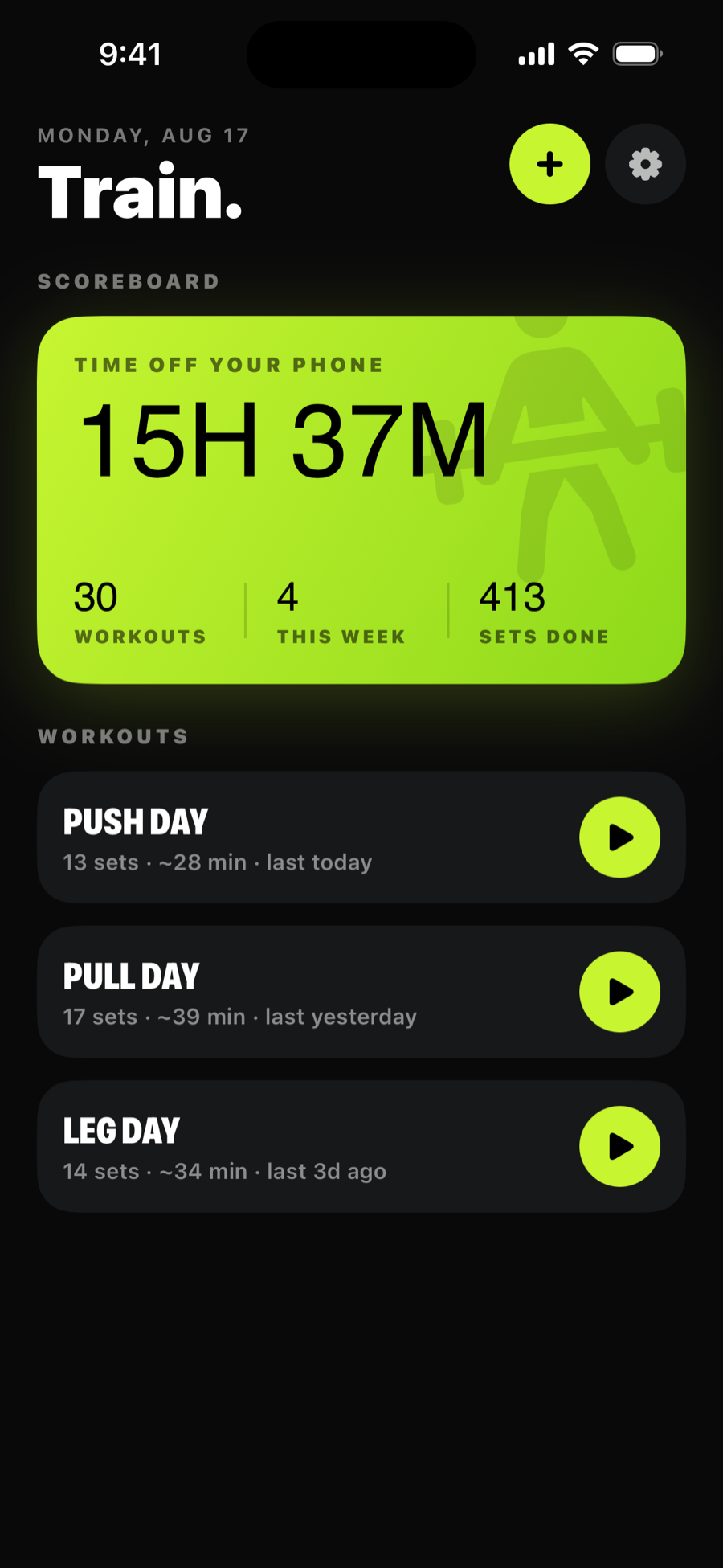
Every locked set adds up.
One number no other app can show you: the time your phone stayed shut.
The questions
everyone asks.
How is this different from a rest timer or an app blocker?
A rest timer counts down but can't close Instagram. App blockers work in blocks — you hand the phone over for an hour, or for the whole workout, and get it back when the block ends. LiftLock locks per set: the phone goes away when a set starts, comes back the moment it ends, and locks itself again when rest runs out.
Can't I just quit LiftLock and keep scrolling?
No. The lock is Apple's Screen Time, so it holds with LiftLock in the background or closed — and rest still re-locks on its own. Ending a workout early takes the END button, on purpose.
Is my whole phone dead for the whole workout?
No — apps are only locked while a set is running, which is the whole point. Rest gives everything back, and apps on your exceptions list (music, usually) never lock at all. If you'd rather not have the phone back between sets, there's an optional setting that keeps everything locked through rests too.
What happens when rest hits zero?
Every app locks again on its own — mid-feed, mid-video, wherever you are — and your phone buzzes. You don't have to open LiftLock or remember anything.
What does LiftLock see about my phone use?
Nothing. It never reads which apps you use or for how long — it only turns the lock on and off around your sets. Your workouts stay on the phone unless you turn on backup.
Lock the set.
Not the workout.
LiftLock is on the App Store now.
Free · iOS 17 or later